How to Use AI for Batch Processing Media Files
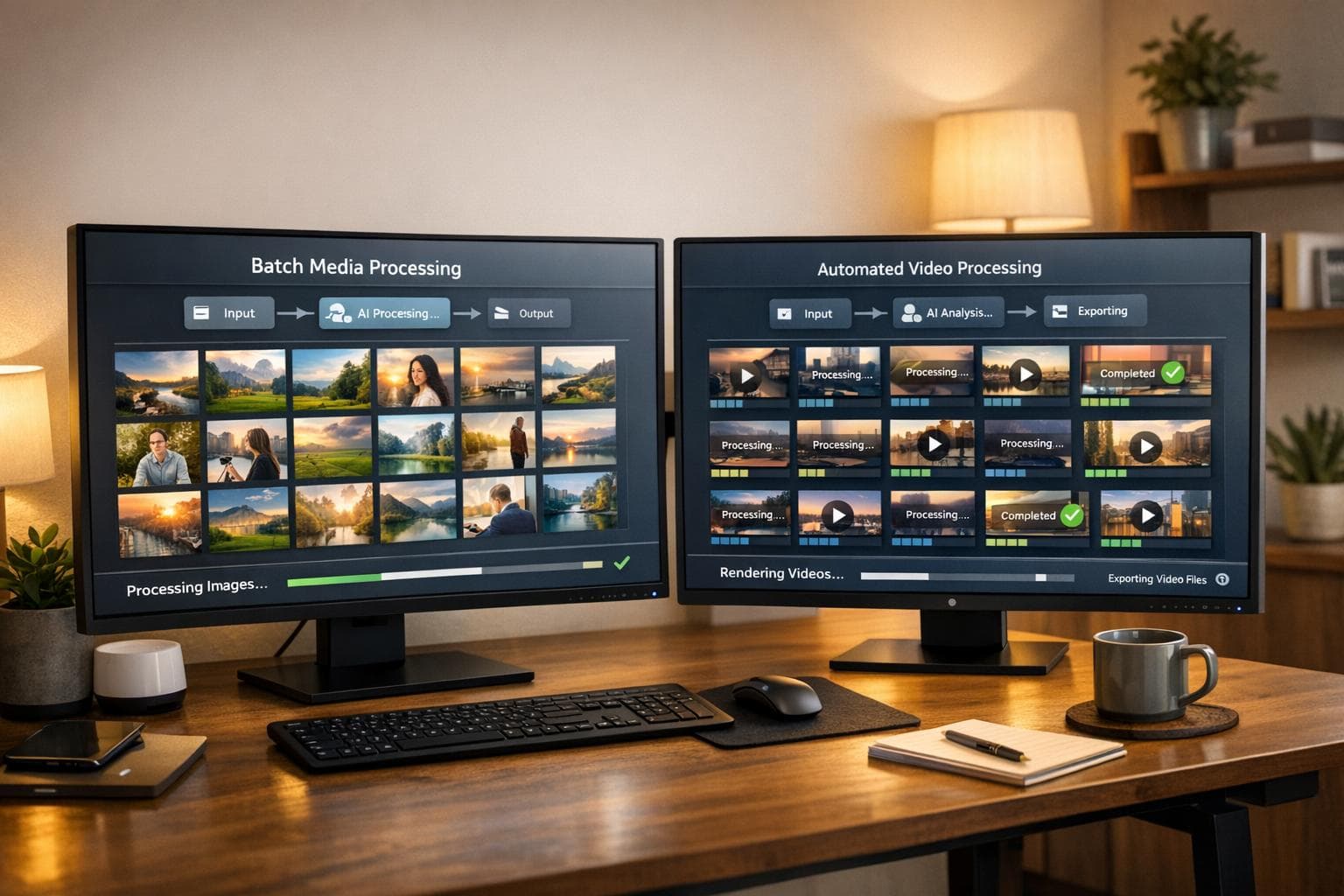
AI batch processing simplifies handling large volumes of media files, saving time and reducing costs. Tools like Soloa AI streamline workflows by integrating over 50 AI models into one platform, offering features like photo restoration, video creation, and voice synthesis. With plans starting at $9.99/month, users can process tasks efficiently without juggling multiple subscriptions. Highlights include:
- Fast Processing: Handle up to 1 million images per hour.
- Cost Savings: Reduce expenses by up to 50%.
- User-Friendly: No tech expertise needed, with intuitive tools for restoration and video creation.
- Flexible Pricing: Free tier available; paid plans start at $9.99/month.
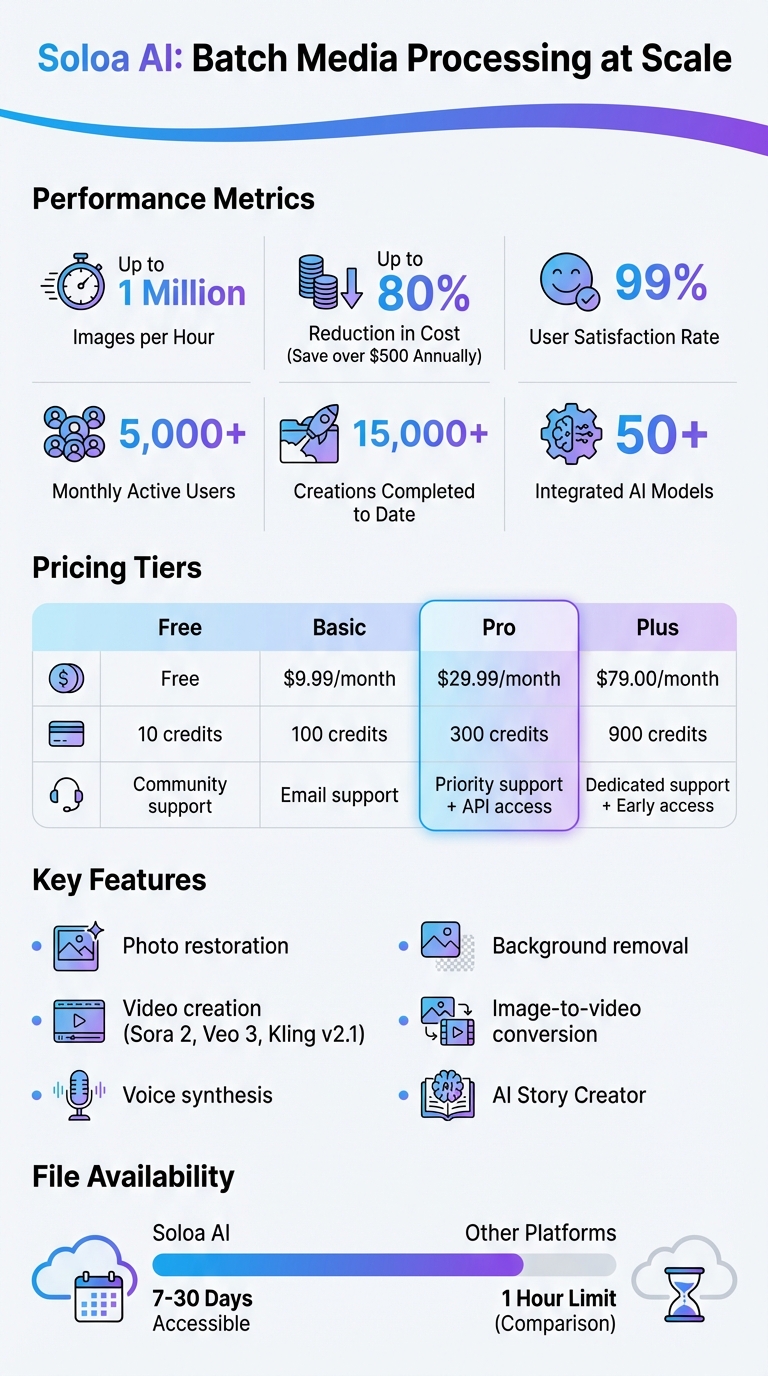
Soloa AI Batch Processing: Key Features, Pricing, and Performance Statistics
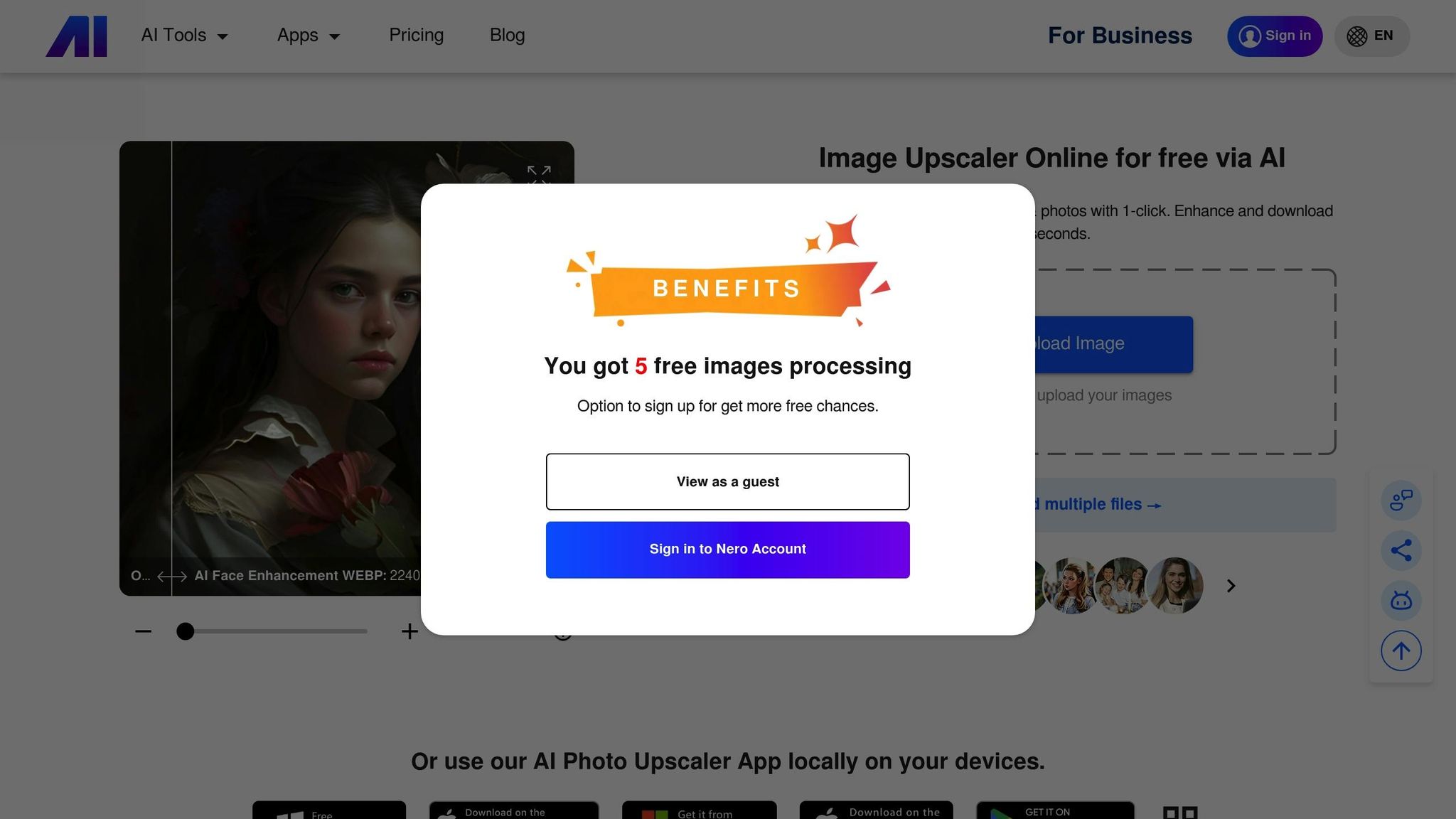
How to Batch Process and Save Photos | Nero AI Image Upscaler 2026 Tutorial
Why Use Soloa AI for Batch Media Processing

Managing hundreds or even thousands of media files can quickly become overwhelming, especially if you're juggling multiple subscriptions for different tools. Soloa AI simplifies this by bringing together over 50 advanced AI models into a single, easy-to-use dashboard. This all-in-one platform allows you to restore photos, create videos, and synthesize voiceovers seamlessly, all in one session. The result? A smoother, more efficient creative process that takes the hassle out of batch media processing.
Unified Platform for Media Tasks
Soloa AI does more than just consolidate tools - it provides a fully integrated ecosystem for all your media needs. Whether you're restoring old photos, removing backgrounds, or creating videos, it's all accessible in one place. A standout feature is the AI Story Creator, which simplifies video production by guiding you step-by-step from idea to finished product. And the best part? You don't need to be a tech expert to use it. As Software Engineer Ahmodu Ahmed put it:
From the very first interaction, the platform feels smooth, intuitive, and thoughtfully designed.
Gone are the days of switching between multiple platforms to complete a single project. Soloa AI ensures everything you need is right at your fingertips.
Affordable Plans for All Users
Cost is often a significant barrier when using premium AI tools, but Soloa AI tackles this head-on. By combining numerous enterprise-grade models into one platform, users save over $500 annually compared to maintaining separate subscriptions. In fact, costs can be reduced by up to 80%. Product Designer Ogwu Ojochegbe Emmanuel highlights this advantage, noting how Soloa AI merges high-quality tools into a single, cost-effective solution.
With pricing tiers starting at just $9.99 per month and a flexible pay-as-you-go option, Soloa AI caters to varying needs and budgets. Whether you're a casual user or a professional handling high volumes, there's a plan that works for you - without the headache of managing multiple accounts.
Access to Top AI Models
Soloa AI doesn’t just consolidate tools - it gives you access to some of the most advanced AI models available. This includes GPT-5.2 for sophisticated reasoning, DALL-E 3 and FLUX Pro for high-quality image generation, and Sora 2 for creating realistic videos with perfectly synced audio. For tasks like batch photo restoration, the platform revives faded or damaged images in seconds, saving you from time-consuming manual work.
With over 5,000 active users monthly and more than 15,000 creations completed, Soloa AI has earned a 99% user satisfaction rate. Founder of The Engineer Network, Mojisola Alegbe, shared her experience:
Switching between image gen, video, and chat assistants felt seamless. The interface is clean and not overwhelming (which can be the case with AI platforms).
Soloa AI delivers a streamlined experience, giving users the tools they need for efficient and high-quality media processing - all in one place.
How to Prepare Your Media Files for Batch Processing
Getting your files ready before diving into batch processing can save you a ton of time and ensure your original files stay safe. Even the most advanced AI tools need organized inputs to work their magic effectively.
Organizing Files Before Upload
A simple three-folder system works wonders: '01_RAW_Originals' (backup), '02_Selects' (working files), and '03_Final_Exports' (final output). This setup ensures you always have a backup and can easily keep track of your progress.
Before you start uploading, take a moment to clean up your collection. Delete blurry images, poorly framed shots, and duplicates. Not only does this save time, but it also conserves processing credits. If you're handling a massive project with over 1,000 files, break it into smaller batches of 100–500 files. This approach avoids potential timeout issues and makes quality control more manageable. When naming your files, stick to lowercase letters, simple prefixes like batch_ or scene_, and avoid special characters - this helps AI tools recognize them without a hitch.
It's always smart to test the waters first. Process a small sample of 5–10 files to fine-tune your settings before tackling the entire batch. Once everything is organized, you’re ready to choose the right AI tools for the job.
Selecting the Right Tools for Your Project
After organizing your files, group them by similarities, like lighting conditions or subject matter, to get the most out of specialized Soloa AI tools. Depending on your needs, Soloa AI offers various options:
- For photo restoration, their tools can breathe new life into faded or damaged images.
- If you’re working on image-to-video conversion, advanced models like Sora 2 deliver incredibly realistic results.
- Need quick edits or background removal? The "Fast" models are budget-friendly and efficient.
- For high-end, studio-quality results, opt for the "Pro" or "Master" models.
How to Restore Multiple Photos at Once with Soloa AI
Restoring a large batch of photos can feel overwhelming, but Soloa AI's "Restore Cherished Memories" tool makes it simple and efficient. This feature is designed to handle common issues like scratches, creases, and faded colors, ensuring your photo collection gets a new lease on life. Here's how you can get started.
Uploading Multiple Photos
First, log into your Soloa AI account and head over to the "Restore Cherished Memories" tool. From there, click the upload button or drag and drop your photos directly into the platform. The system supports popular file formats, so you can upload your collection without any hassle.
Customizing Restoration Settings
Once your photos are uploaded, you’ll have the option to fine-tune the restoration process. Choose features like colorization to bring black-and-white images to life, sharpening to enhance clarity, and repair tools to tackle scratches and folds. For the best results, enable all available settings. Soloa AI leverages advanced models from industry leaders like OpenAI, Google, and Anthropic, ensuring it can handle even the most challenging restoration tasks.
Starting and Tracking the Restoration Process
When you’re ready, click "Start Restoration" to begin. The process runs in the background, allowing you to focus on other tasks while the system works its magic. The unified dashboard keeps you informed with real-time updates, including progress for each batch, estimated completion times, and the number of files processed. With a proven track record of over 15,000 completed restorations and a growing user base of more than 5,000 active users each month, Soloa AI is built to handle high-volume projects with ease.
Once the restoration is complete, you can download your polished photos directly from the dashboard or continue refining them using other tools within Soloa AI.
sbb-itb-7afdda7
How to Convert Multiple Images to Videos with Soloa AI
Once you've restored your photos in batches, turning them into engaging videos is a breeze with Soloa AI. Using advanced video models like Wan 2.2 Fast, Veo 3 Fast/Pro, Kling v2.1 Master, PixVerse V5, and Hailuo 02 Fast/Pro, Soloa AI transforms your image collections into polished videos seamlessly.
Uploading Your Image Collection
Log in to your Soloa AI account and head to the video creation section. Here, you'll find various video generation models tailored to different needs. For quick and budget-friendly projects, Wan 2.2 Fast is a great choice, while Veo 3 Pro is ideal for achieving a more cinematic, professional look. Upload your images by clicking the upload button or simply dragging and dropping your files. The platform supports common image formats, so you won’t need to worry about converting your files beforehand.
Customizing Video Settings
After uploading your images, you can fine-tune how they’ll be brought to life. Use the cinematic direction prompt to adjust camera movements - options include push-in, orbit, or handheld effects - and set the overall pace and style of your video. You can also tweak frame rate, resolution, clip duration, and style settings to match your specific project requirements.
Creating and Downloading Your Video
When everything is set, click Create Video to start the process. You can track the progress in the Activity Window (shortcut: Command-1 for managing multiple jobs). Once processing is complete, preview your video, then save or download it as an MP4 file. Thanks to the Fast Supernet, Soloa AI handles your batch in the background efficiently. Plus, with Soloa AI's unified subscription, you get access to all video models for one price - potentially saving you over $500 annually compared to subscribing to individual tools separately.
Managing Your Batch Jobs and Output Files
Soloa AI's Activity Window simplifies job tracking and file management, making it easy to handle your projects from start to finish. Once processing is complete, you can quickly download and organize your results. While some platforms limit download availability to as little as 1 hour, Soloa AI keeps your files accessible for 7 to 30 days. Use the Activity Window (shortcut: Command-1) to monitor progress and retrieve completed files across all your media projects.
To save time during organization, download files into well-structured folders with clear labels (e.g., output/1080p, restored-photos). Use descriptive filenames that include dates in the YYYYMMDD format (e.g., ProductDemo-20260118-001.mp4) so files sort chronologically on any operating system. For an even smoother workflow, leverage AI-powered tools to generate these filenames automatically. Once your folder structure is set, focus on efficient methods for handling large batches of files.
For projects involving over 20,000 files, avoid browser timeouts by using command-line exports. If you're working with cloud platforms like Amazon S3 or Google Cloud Storage, set up webhook notifications to automate downloads or backups as soon as processing is finished. After downloading, standardize filenames to make future searches easier.
For files with AI confidence below 95%, direct them to a "Needs Review" folder for manual checks. As one Finance Operations Lead shared after implementing a standardized system:
Once the naming scheme stabilized, our support team shaved 40 minutes per rep each day searching for files. Auditors love the audit trail.
These practices not only streamline your workflow but also enhance the overall experience Soloa AI provides.
Finally, delete temporary cloud files immediately after transferring your results to avoid unnecessary storage costs. With Soloa AI's unified dashboard tracking over 15,000 active creations to date, you'll always have a reliable record of your batch jobs and can easily locate past work without sifting through scattered folders.
Soloa AI Pricing Plans
Soloa AI makes it easy to streamline batch processing without breaking the bank. Their pricing model is built around a flexible credit system, giving you access to over 50 AI models under a single subscription. This eliminates the headache of juggling multiple subscriptions. Plus, new users can get started with free credits - no credit card required - so you can explore batch processing workflows before committing to a paid plan.
Here’s a breakdown of the pricing tiers:
- Free: Includes 10 credits and community support.
- Basic: $9.99/month for 100 credits, with email support.
- Pro: $29.99/month for 300 credits, priority support, and API access.
- Plus: $79.00/month for 900 credits, dedicated support, and early access to new models.
If you need extra credits, you can purchase packages starting at 50 credits for $4.99, up to 620 credits for $59.00.
Soloa AI currently powers a thriving community of over 5,000 monthly active users, enabling more than 15,000 creations to date. With a 99% user satisfaction rate, the platform is clearly meeting its users' needs.
For those with fluctuating demands, the pay-as-you-go option provides extra flexibility. You can buy credits as needed and track your usage with a unified dashboard, making it simple to manage tasks efficiently.
Conclusion
Batch processing media files doesn’t have to mean juggling multiple subscriptions or spending hours on manual edits. With Soloa AI, you get a single platform that handles everything - from restoring old photos to converting images into videos - using over 50 AI models. Whether you're reviving cherished family photos or creating dynamic video content with tools like Sora 2 and Veo 3.1, Soloa AI streamlines the entire process, eliminating the need to switch between different tools or services for a more seamless workflow.
By sticking to an organized approach - such as grouping similar files, testing parameters on smaller batches, and selecting the right AI model - you can achieve consistent results across your entire library. These practices, combined with Soloa AI’s structured workflow, make handling large-scale media projects much easier.
With a 99% user satisfaction rate and more than 5,000 active users each month, Soloa AI has proven its ability to meet real-world needs. Not only does its all-in-one design speed up your workflow, but it also saves money - users report saving over $500 annually compared to maintaining separate AI subscriptions. As product designer Ogwu Ojochegbe Emmanuel explains:
Soloa lets me access all the premium AI models I was paying for separately, but for a fraction of the cost and all in one place.
You can start with the free tier to try out batch workflows and scale up as your projects grow.
FAQs
How does Soloa AI deliver high-quality results for photo and video restoration?
Soloa AI is built to deliver excellent photo and video restoration, utilizing advanced AI models and state-of-the-art technology. These tools focus on refining details, fixing flaws, and bringing visuals back to life with impressive accuracy, ensuring your media looks polished and professional.
Although the exact technical processes behind its quality control remain under wraps, Soloa AI employs some of the most powerful AI models in the industry to guarantee reliable and high-quality results. To learn more about how Soloa AI achieves such precision, you can explore the platform's features firsthand.
How should I organize my media files before using Soloa AI?
To get the best results with Soloa AI, start by setting up a clear and organized folder system. Gather all your media files into one main folder and create subfolders for different types of content, such as images, videos, and audio. Stick to a consistent naming system like MM-DD-YYYY_Description_001 to make files easier to locate and to avoid duplicates.
If you're working on a bigger project, it’s helpful to group related files into batches and scenes. This not only keeps things tidy but also makes processing smoother. Here’s an example of how you can structure it:
├── batch_01
│   ├── scene_0001
│   │   ├── img_001.jpg
│   │   └── vid_001.mp4
│   └── scene_0002
│       └── ...
Once your folders are organized, back everything up - either to an external drive or a cloud service. Take a moment to double-check that all files are named correctly and placed in the right folders. After that, you’re ready to upload your folder to Soloa AI and let its tools handle the rest with ease.
Does Soloa AI offer a free trial or a way to explore its features without a subscription?
Currently, there's no clear information on whether Soloa AI offers a free trial or provides access to its features without requiring a paid subscription. To get the most accurate and current details, it's best to visit Soloa AI's official website or contact their support team directly.
All-in-One AI Platform
Try These AI Tools Free on Soloa
50+ AI models for image, video, voice, and music. One subscription, no switching between tools.