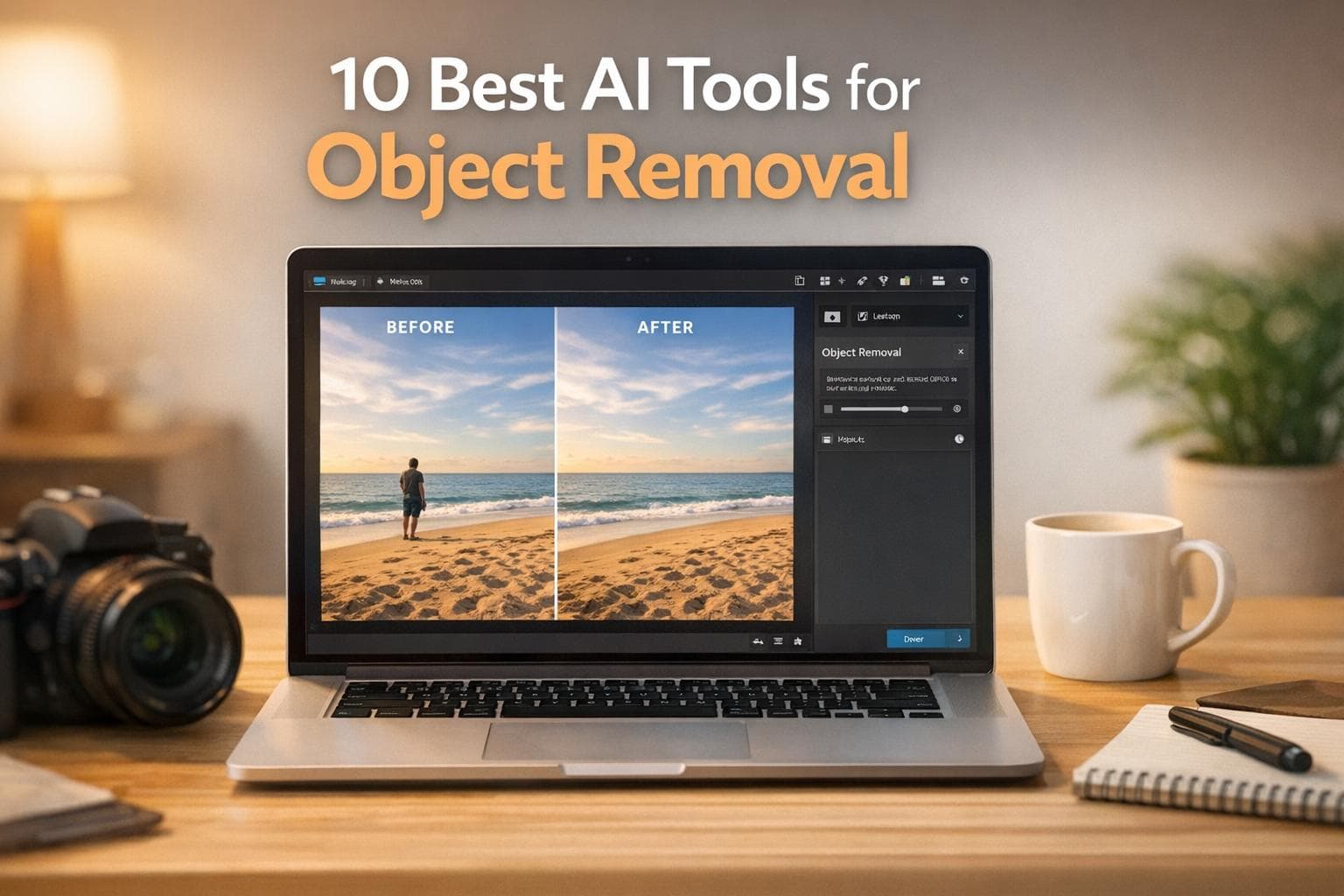
AI tools for object removal have made photo and video editing faster and more accessible. These tools use advanced technology to erase unwanted objects and fill the gaps seamlessly, saving time and effort for professionals and casual users alike. Whether you're a photographer, content creator, or business owner, there’s an option tailored to your needs.
Here’s a quick overview of the top tools discussed:
These tools cater to different needs, from professional-grade editing to quick touch-ups. Choose based on your workflow, budget, and whether you need photo, video, or both capabilities.
Comparison of 10 Best AI Tools for Object Removal: Features, Pricing, and Use Cases

Adobe Photoshop stands as a powerhouse in professional photo editing, particularly excelling in advanced object removal. It integrates cutting-edge tools like the Remove Tool, Generative Fill powered by Adobe Firefly, and Content-Aware Fill to manage everything from minor touch-ups to intricate background reconstructions.
The Remove Tool uses AI to erase objects of any size and automatically fills the area with well-blended content. Features like Distraction Removal simplify tasks by detecting and removing unwanted elements - such as wires, cables, or background figures - without requiring manual effort. Meanwhile, Generative Fill analyzes the surrounding environment to create realistic replacements, making it particularly useful for handling large objects or complex textures.
"Since the first time I used this tool, I've been amazed by its speed and accuracy. It's unlike anything I've seen before." – Ana Mireles, Writer & Camera Gear Reviewer, Shotkit
Photoshop is accessible on desktop (Windows and macOS), iPad, and web browsers. For mobile users, the smartphone app offers a free basic tier, with a premium subscription available for around $7.99 per month.
Photoshop shines in high-precision photo object removal, making it the go-to tool for eliminating distractions like tourists, power lines, shadows, and reflections. It also supports video layers for basic editing, offering versatility for both photo and video projects.
Adobe follows a subscription-based pricing model with no permanent free option for desktop or iPad versions. However, new users can take advantage of a 7-day free trial. Subscription options include:
This comprehensive feature set solidifies Photoshop's reputation as the industry standard for AI-driven object removal.
Photoshop is ideal for professional photographers, retouchers, and designers who need non-destructive workflows and seamless integration with Adobe's broader creative suite. While its extensive capabilities come with a steep learning curve, its precision and flexibility make it the perfect choice for those tackling detailed, high-stakes projects. Casual users looking for quick edits might find it overwhelming, but for professionals, it’s an invaluable tool.

Runway ML brings advanced video object removal straight to your browser. This platform specializes in video inpainting, using AI to track and remove objects across multiple frames while keeping your footage visually consistent. You can either manually brush over unwanted objects to create a mask or use natural language prompts like "remove the crowd" for automatic selection. By analyzing the surrounding pixels and motion patterns, Runway ML seamlessly fills in the gaps, making it a go-to tool for removing people, vehicles, logos, or other background distractions from videos.
"What sets Runway apart is its browser-based interface that makes advanced AI tools accessible without requiring powerful local hardware." – OpusClip
Runway ML is primarily a web-based tool, accessible through any modern browser. For macOS users, there's also a dedicated desktop app. Its cloud-based design means you can work on your projects from virtually any device without relying on local processing power. Plus, its real-time collaborative interface allows multiple team members to edit simultaneously, making it a practical choice for professional video editing workflows.
While Runway ML includes features like "Erase and Replace" for photo editing, its standout capability is video object removal. It works particularly well with clips up to five seconds long, though its timeline editor supports more extended sequences. The platform’s timeline-based mask tracking automatically follows objects across frames, making it especially effective for scenes with lots of camera movement or complex backgrounds.
Runway ML offers a free tier with 125 one-time credits, three projects, and 5 GB of cloud storage - perfect for trying out the platform. Paid plans start at $12 per user per month (billed annually) or $15 per month (billed monthly), which includes 625 monthly credits and 4K export capabilities. For teams, there’s a $35 per month plan, and all subscriptions come with a 30-day money-back guarantee.
Runway ML is designed for video professionals, content creators, and marketing teams who need precise control over complex scenes rather than quick, one-click solutions. It performs best with high-quality clips featuring smooth, planned motion. Shaky handheld footage may produce less reliable results. For the best outcome, mask slightly outside the edges of the object and avoid clips where the subject takes up the entire frame - this helps the AI reconstruct the background more effectively.

Topaz Video AI takes a unique approach to object removal by processing video files directly on your computer. Unlike cloud-based tools, everything stays local, making it a great choice for working with confidential or proprietary footage. The software uses 19 AI models specifically trained for video, ensuring smooth transitions and maintaining temporal consistency - so when objects are removed from one frame, they stay gone in the following frames without flickering or other visual glitches. This technical precision has earned it strong performance reviews and positive user feedback.
"Motion amplifies the imperfections of upscaling. For it to work, details must be intelligently carried across frames - and that's exactly what they've done." – Philip, YouTube Reviewer
Topaz Video AI is available as a desktop application for both Windows and macOS. You can use it as a standalone program or integrate it with professional editing software like Adobe After Effects and DaVinci Resolve. While it primarily relies on your computer’s GPU for rendering, there’s also an option for cloud rendering through "Cloud Credits" if you need to shift the workload off your hardware.
This tool shines when it comes to improving video quality. It’s perfect for denoising low-light footage, upscaling to 4K, restoring focus, and adjusting frame rates - all while keeping temporal consistency intact. The AI models are designed to handle tricky scenarios like camera movement and detailed textures, ensuring smooth object removal and overall video enhancement. However, keep in mind that it works best with a powerful GPU.
While there’s no permanent free tier, all subscriptions include a 7-day refund policy.
Topaz Video AI is tailored for professional videographers, film studios, and creative agencies that need high-quality local video processing, especially for sensitive or confidential projects. As Timothy Cox, a Trustpilot reviewer, shares:
"As a professional design firm specializing in 3D/AI/Adobe hybrid production workflows, I rely on dozens of AI tools... Topaz Video AI is indispensable."
It’s particularly useful for working with damaged footage or when strict data privacy is required during the editing process.

DaVinci Resolve is an all-in-one post-production powerhouse, combining tools for editing, color grading, visual effects, and audio production into a single software package. At the heart of its capabilities is the DaVinci AI Neural Engine, which powers features like the Object Removal tool and Magic Mask. These tools automatically detect, track, and remove unwanted elements from video footage while reconstructing the background, making it easier to achieve polished, professional results.
One standout feature is its node-based compositing system, accessible through the Fusion page. This system allows users to combine object removal, tracking, and color correction in a non-destructive workflow. This makes it especially useful for integrating object removal into complex post-production projects without compromising flexibility or quality.
DaVinci Resolve runs on Mac, Windows, and Linux desktops. For macOS users with Apple silicon and macOS 14 or newer, there’s also a version available through the Mac App Store. However, this version has some limitations, particularly regarding external control panels and third-party plugins, compared to the version downloaded directly from Blackmagic Design.
Known for its advanced editing tools, DaVinci Resolve excels in professional video editing and high-end object removal tasks. The free version supports resolutions up to Ultra HD (3,840 x 2,160) at 60fps with 8-bit video formats. Meanwhile, the Studio version steps it up, handling resolutions beyond 4K - up to 32K - and supporting 10-bit video at up to 120fps.
One of the most appealing aspects of DaVinci Resolve is its pricing. The free version is packed with features, including multi-user collaboration and HDR grading, without requiring a subscription. For those who need advanced tools, DaVinci Resolve Studio is available for a one-time payment of $295.
DaVinci Resolve is perfect for professional editors, colorists, and VFX artists who need a comprehensive post-production tool. It also serves as a robust free option for beginners, though its steep learning curve may require some patience. For high-end video projects that demand precise object removal, detailed color grading, and audio enhancements, DaVinci Resolve is a complete and powerful solution. For those looking for more streamlined options, you can access your AI tools through a unified web interface.

If you're looking for a straightforward way to clean up your photos without diving into complex editing software, Cleanup.pictures might be just what you need. This web-based AI tool focuses on speed and simplicity, using inpainting technology to reconstruct backgrounds seamlessly. It's perfect for quick edits, making it a favorite for social media posts and e-commerce visuals.
Need to remove tourists from a scenic shot or erase watermarks on product photos? Cleanup.pictures handles these tasks with ease. Dawn Veltri, Director of Marketing at Raek, shares her experience:
"I just edited the same photo with Cleanup.pictures and I was done in 30 secs without the smears and lines!"
The tool shines in simple or moderately complex scenes. It’s great at removing isolated elements like a bird in the sky or a timestamp in a corner. However, it may struggle with more intricate edits, such as busy backgrounds or overlapping objects.
You can access Cleanup.pictures through desktop and mobile web browsers, and there are also dedicated apps for iPhone and Android users.
This tool is tailored for quick photo cleanups. Whether you're editing landscapes, real estate images, or product shots, Cleanup.pictures efficiently removes text, logos, watermarks, and other isolated objects. While it’s not designed for pixel-perfect control, it’s a reliable option for everyday editing needs.
The free version lets you process unlimited images at 720p resolution, which works well for online use. If you need higher resolution, the Pro plan is available for $5/month or $36/year. For those interested in additional features like background removal and generative fill, the ClipDrop Pro bundle starts at $11/month. Developers can also integrate the service using a usage-based API.
Cleanup.pictures is a great fit for casual users, social media managers, photographers, and small business owners who need fast and effective photo edits. It offers a simple, accessible solution for everyday photo touch-ups without the complexity of advanced editing tools.

Photoroom has made waves with over 300 million downloads, revolutionizing how product photos are transformed into professional, marketplace-ready images. Its standout feature, Magic Retouch, allows users to remove unwanted elements effortlessly. The tool uses AI to reconstruct the background and adjust lighting, creating polished results. This feature is just the beginning of its robust editing capabilities.
What makes Photoroom a favorite among online sellers is its specialized focus. The platform provides AI-generated backgrounds, realistic shadows, and batch processing to edit hundreds of images at once. Alexandra Mahl, founder of APM FINDS, LLC, shared how Photoroom impacted her business:
"Just adding white backgrounds has made my sales jump by 500%."
Jeff Strauss, Director of Imaging at Wolt, also praised the tool. By integrating Photoroom's API into their workflow, Wolt achieved a 60% reduction in cost per acquisition.
Photoroom is accessible across multiple platforms, including iOS and Android mobile apps, a web-based browser editor, and desktop applications for both Mac and Windows. This range ensures users can edit seamlessly, whether on the go or at their desks.
Photoroom is tailored for e-commerce, simplifying the often tedious process of preparing product photos for platforms like Amazon, eBay, and Shopify. Its Magic Retouch tool is especially handy for removing price tags, props, or backdrop imperfections, delivering clean, professional-quality images.
Photoroom offers a free tier with basic tools for object removal and background editing. However, exports in this tier are limited to a low resolution of 720x550px and include watermarks. The Pro subscription, starting at $4.99/month, unlocks high-resolution exports, batch editing, and watermark-free images. For businesses with greater needs, Photoroom offers Max, Ultra, and Enterprise plans with custom pricing.
Photoroom is ideal for e-commerce sellers and small business owners who require scalable, high-quality image editing. Whether managing extensive product catalogs or creating consistent backgrounds for listings, its batch editing capabilities make it a game-changer. With a 4.8/5 rating on the Apple App Store from over 209,000 users, it’s clear that many find it a reliable and effective tool.

HitFilm Pro is a desktop-based video editing and visual effects (VFX) suite designed for creators who need precise control over object removal. By combining manual rotoscoping and masking with AI-assisted fill, it ensures that natural motion and lighting are seamlessly maintained throughout your footage.
The process is hands-on: you start by masking the unwanted object, then use tools like the Clone Stamp or AI-assisted fill to blend it into the surrounding scene. While this approach offers detailed control over every step, it does come with a steeper learning curve compared to more automated solutions. Because of its advanced nature, HitFilm Pro is available exclusively for desktop systems.
HitFilm Pro operates solely on desktop platforms. There’s no mobile or web version, so you’ll need a capable computer to take full advantage of its robust features.
This tool is particularly suited for intricate video object removal tasks in post-production. By blending manual techniques with AI assistance, it ensures that edited sections integrate smoothly with the natural flow of your footage. It’s a perfect fit for creators and professionals who need precision for complex VFX work without breaking the bank on enterprise-grade solutions.
HitFilm Pro offers advanced, professional-level features at a price point that’s more accessible than high-end enterprise software.
HitFilm Pro is ideal for video creators and professionals tackling detailed and complex edits. If your projects demand both flexibility and meticulous control, this desktop suite provides the tools you need to achieve high-quality results.

Kapwing is a browser-based tool designed for removing objects from photos and videos. You simply upload your content, make your edits, and you're good to go. It features an AI assistant named "Kai", which allows you to remove objects either by brushing over them or typing specific prompts (like "Remove the red umbrella").
For photos, Kapwing delivers photorealistic results in under 10 seconds. When it comes to videos, it's best suited for straightforward edits, such as removing static logos, watermarks, or objects set against uniform backgrounds. However, for complex scenes with a lot of motion, you might notice occasional artifacts. All projects are saved in the cloud, making it easy to switch between desktop and mobile devices for editing. This simplicity and speed make it a go-to tool for quick edits.
Kapwing works entirely in your web browser, whether you're on Windows, Mac, iOS, or Android. For the smoothest experience, it's best to use Chromium-based browsers like Google Chrome or Microsoft Edge.
Kapwing is perfect for quick and easy object removal, especially for creating social media content or marketing materials. Eunice Park, Studio Production Manager at Formlabs, shared:
"Many of our marketers were able to get on the platform and use it right away with little to no instruction. No need for downloads or installations - it just works".
The platform also supports collaboration, allowing team members to work together on the same project in real time. Its combination of speed and simplicity makes it a strong contender among professional editing tools.
Kapwing has a free tier that works for teams of any size, but exports on this plan include watermarks and are limited to 720p resolution. For more advanced features, like 4K exports, watermark removal, and higher credit limits for AI tools, you can opt for the Pro plan, which costs between $16 and $24 per month. The platform also uses a credit system for its AI-powered features.
Kapwing is an excellent choice for social media managers, marketing teams, and creators who need fast results without a steep learning curve. As Grant Taleck, Co-Founder of AuthentIQMarketing.com, explains:
"If you've learned graphic design with Canva, you can learn video editing with Kapwing".
With an impressive 4.9/5 rating from over 5,024 reviews, users frequently highlight its user-friendly interface and collaborative features as standout advantages.

Claid.ai is a web-based tool tailored for ecommerce photography. Its standout feature, the Erase Brush, allows users to remove props, price tags, stands, and backdrop wrinkles effortlessly. With a "preserve product" toggle, it ensures your product remains intact during edits. The platform describes itself as:
"Claid: best for ecommerce. AI object removal integrated into a full product-photo suite... ideal for consistent product images at scale".
Beyond the Erase Brush, Claid.ai offers features like AI outpainting, background removal, and specialized upscalers, all designed to streamline product catalog workflows.
Claid.ai operates entirely through a web browser, making it accessible on desktop computers without the need for downloads. While there’s no dedicated mobile app for quick edits, the platform compensates with API support, enabling businesses to integrate its object removal tools into backend systems for automated workflows.
This tool is laser-focused on static product image edits for ecommerce. Features like feathering control allow for smoother transitions, ensuring high-quality results.
Claid.ai uses a credit-based pricing structure. New users receive 50 free credits to get started, while paid plans begin at $9 per month.
Claid.ai is ideal for ecommerce brands, online marketplaces, and teams that need to process large volumes of product photos with consistent quality. Designed for repeatable, scalable workflows, it’s a perfect fit for businesses aiming to automate object removal and maintain a polished, professional product catalog.

Soloa AI combines object removal with a suite of over 50 AI tools for text, image, audio, and video creation. Instead of focusing solely on object removal, it integrates this feature into a broader platform that includes photo restoration, background removal, and other AI-driven editing tools. These capabilities are powered by advanced AI models like GPT, Claude, and Gemini.
Soloa AI is entirely web-based, meaning you can access it through any modern browser on your desktop. There’s no need to download or install software, making it a convenient option for users who prefer working in the cloud. While it doesn’t have dedicated mobile apps, its web interface adjusts to fit various screen sizes, offering basic functionality on the go.
Object removal is one of many features in Soloa AI’s image editing toolkit. Alongside this, it offers background removal, photo restoration, and other editing tools, making it a versatile choice for those who need multiple image-related functions in one place. While it doesn’t specialize in object removal like some standalone tools, its all-in-one approach appeals to users looking for a broader range of editing options without needing separate subscriptions.
Soloa AI operates on a credit-based system with tiered subscription plans:
For those who don’t want a subscription, standalone credit packages are available, ranging from $4.99 to $59.00 for 50 to 620 credits. This flexibility makes it a good fit for occasional users as well as regular subscribers.
Soloa AI is ideal for content creators, marketers, and small businesses who need a variety of AI tools in one place. If your work involves tasks like object removal, video creation, voice synthesis, or text generation, Soloa AI’s unified platform can save both time and money. It’s especially useful for teams that appreciate consolidated billing and a single dashboard for multiple AI tasks. However, if your primary need is high-volume object removal, a dedicated tool may be a better fit.
Here's a quick breakdown of platform availability, primary functions, pricing, and ideal users for each tool.
| Tool | Platform Availability | Primary Use Case | Pricing Model | Best Suited For |
|---|---|---|---|---|
| Adobe Photoshop | Windows, macOS, Web, Mobile (iOS/Android) | Professional photo retouching and pixel-perfect editing | Subscription ($22.99/month) | Professional photographers and graphic designers |
| Runway ML | Web-based, macOS app | AI-powered video editing and object removal | Subscription + Credits ($12–$15/month Pro) | Video professionals and content creators |
| Topaz Video AI | Desktop only (Windows, macOS) | Video enhancement and local processing | One-time purchase | Creators needing privacy and high-resolution work |
| DaVinci Resolve | Desktop (Windows, macOS, Linux) | Professional video editing and VFX | Free version / One-time Studio upgrade | Professional editors and budget-conscious hobbyists |
| Cleanup.pictures | Web browser | Quick photo object removal | Freemium (Free at 720p, Pro at $3/month) | Casual users, bloggers, and social media managers |
| Photoroom | Mobile, Web, Desktop | E-commerce product photography | Subscription ($4.99/month and up) | Online marketplace sellers and small businesses |
| HitFilm Pro | Desktop | Advanced VFX and video editing | Paid license | Serious video creators needing professional control |
| Kapwing | Web browser | Collaborative editing, ideal for social media content | Freemium (Free with watermarks, Pro at $16/month) | Social media teams and collaborative creators |
| Claid.ai | Web, API | E-commerce image editing at scale | Credit-based ($9–$19/month Basic, $49/month Professional) | E-commerce brands with large product catalogs |
| Soloa AI | Web browser | All-in-one AI toolkit with object removal | Credit-based ($9.99/month Basic, $29.99/month Pro, $79.00/month Plus) | Content creators, marketers, and small businesses needing multiple AI tools |
This table provides a clear overview, helping you identify the right tool for your specific needs.
When it comes to pricing, options range from free and freemium models to premium subscriptions and one-time purchases. For example, Cleanup.pictures starts at just $3/month, making it a budget-friendly choice for casual users. On the other hand, DaVinci Resolve offers a robust free version that rivals many paid tools, making it ideal for those looking to save without compromising on features.
If you need tools for object removal, platforms like Cleanup.pictures and Photoroom are highly specialized. However, if you're after a broader AI toolkit, Soloa AI combines object removal with a variety of other features under a single subscription. Desktop-only tools like Topaz Video AI are perfect for creators prioritizing high-resolution work and privacy, while browser-based solutions like Runway ML and Kapwing are accessible on any device with an internet connection. For cross-device flexibility, Adobe Photoshop stands out with its support for desktop, web, and mobile platforms.
Your choice ultimately depends on your workflow and whether you need a focused tool or a comprehensive solution.
The best AI tools for object removal come with a variety of features designed to meet different needs. Your choice will largely depend on your workflow and budget. Adobe Photoshop continues to lead the pack for professional photo editing, offering unmatched precision and versatility. For video editors, Runway ML delivers frame-accurate inpainting, while DaVinci Resolve offers a powerful free version that competes with many paid options.
If you're looking for a cost-effective solution, Cleanup.pictures is a standout. It provides unlimited free edits at 720p resolution without watermarks - ideal for quick fixes, especially for social media content. Mobile users and e-commerce sellers might find Photoroom particularly helpful, thanks to its templates tailored for platforms like Amazon, eBay, and Shopify. The variety of tools available reflects how AI editing technology continues to evolve and adapt to user demands.
For those looking for an all-in-one platform, Soloa AI is worth considering. It combines object removal with over 50 AI tools, all starting at $9.99/month for 100 credits. This setup eliminates the hassle of juggling multiple subscriptions, making it a practical choice for content creators, marketers, and small businesses.
With the AI photo editing market expected to hit $39.7 billion by 2030, growing at a CAGR of 50.63%, it's clear this technology is here to stay. Whether you need the precision of desktop software, the convenience of mobile apps, or an all-in-one solution, there's an AI tool out there to match your needs.
AI tools designed for removing objects from photos and videos serve distinct purposes and tackle different challenges.
Photo tools are tailored for static images, offering simple, intuitive solutions to remove unwanted elements. These tools excel at tasks like reconstructing backgrounds and fine-tuning details, making them accessible for both casual users and professionals. They’re typically easy to use, support a variety of formats, and are perfect for quick edits or detailed touch-ups.
On the other hand, video tools are built to manage dynamic, moving content. They rely on advanced algorithms to ensure consistency across multiple frames, delivering smooth transitions while maintaining high video quality. This makes them indispensable for more intricate, professional-level projects. However, these tools often require more processing power and can have a steeper learning curve compared to their photo-focused counterparts.
Credit-based pricing lets users buy credits to use across different tasks on the platform. Whether it’s text generation, image editing, or video processing, each task consumes a set number of credits depending on how complex it is and the resources it requires. This flexible, pay-as-you-go model helps users manage costs effectively.
With Soloa AI, these credits work seamlessly across a collection of more than 50 AI tools. From photo restoration to background removal and media creation, users can tap into advanced features without being tied to fixed subscriptions. This makes it a great option for those with changing needs, offering a scalable way to access cutting-edge AI tools.
For e-commerce product photography, having the right AI tool can make all the difference in creating clean, professional product images. High-quality visuals are essential on platforms like Amazon and eBay, where great photos can directly impact sales.
Claid is an excellent option for businesses handling large volumes of images. It specializes in bulk background and object removal, making it ideal for streamlining workflows. Its automation features are particularly useful for companies that need to process images quickly and efficiently. On the other hand, smaller sellers or brands looking for quick and simple edits might find Photoroom more suitable. It offers user-friendly tools specifically tailored for marketplace listings.
Both tools are designed to help your product photos stand out and boost conversions. The right choice depends on your specific needs, such as the number of images you work with and the integrations you require. However, Claid shines as a scalable solution for high-volume demands.